
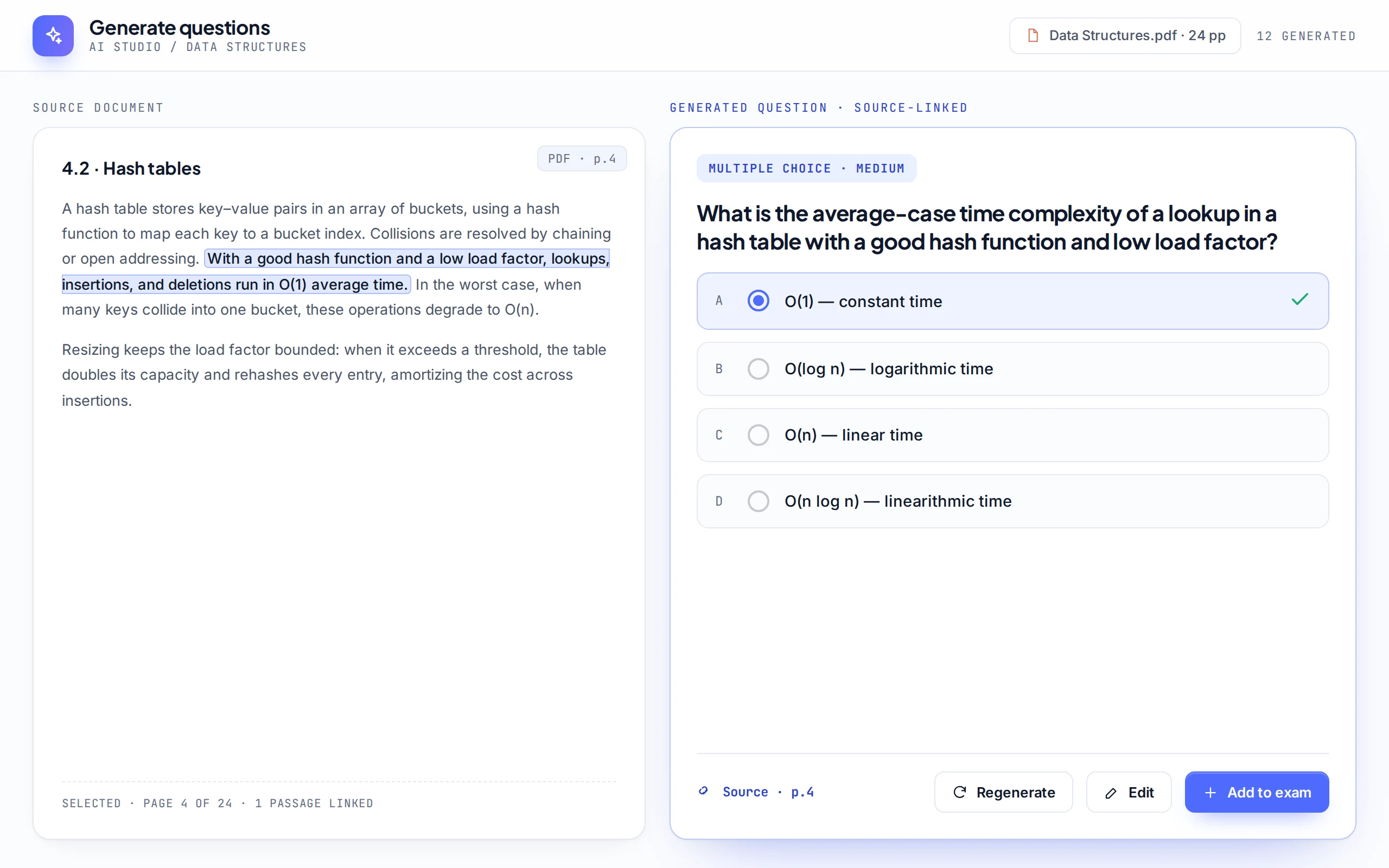
AI question generation
Upload a PDF or notes and get a draft test with answers and explanations, ready to review and edit.
Assessment platform for teams
Examing turns your material into a proctored online test in minutes. Candidates join with a code from any browser, and you see scores, flags and analytics the moment they finish.
How it works
Write questions yourself, import a Word file, or let AI draft them from your documents. Multiple choice, written answers, matching and more.
Put candidates in groups and share one join code or link. No installs, no accounts to set up for them in advance.
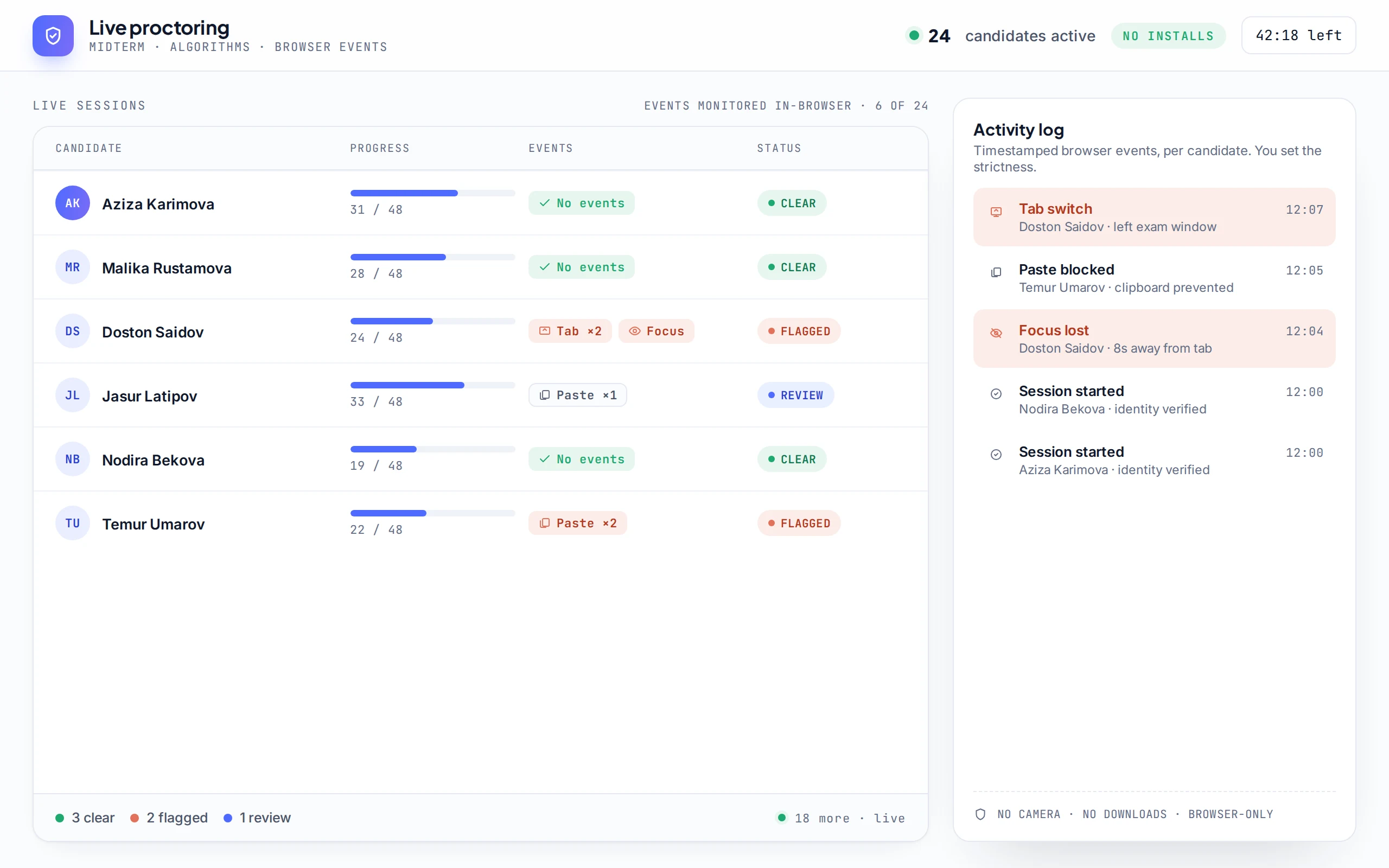
Timers, shuffled questions and browser proctoring keep it fair. Tab switches and pastes are logged per candidate, live.
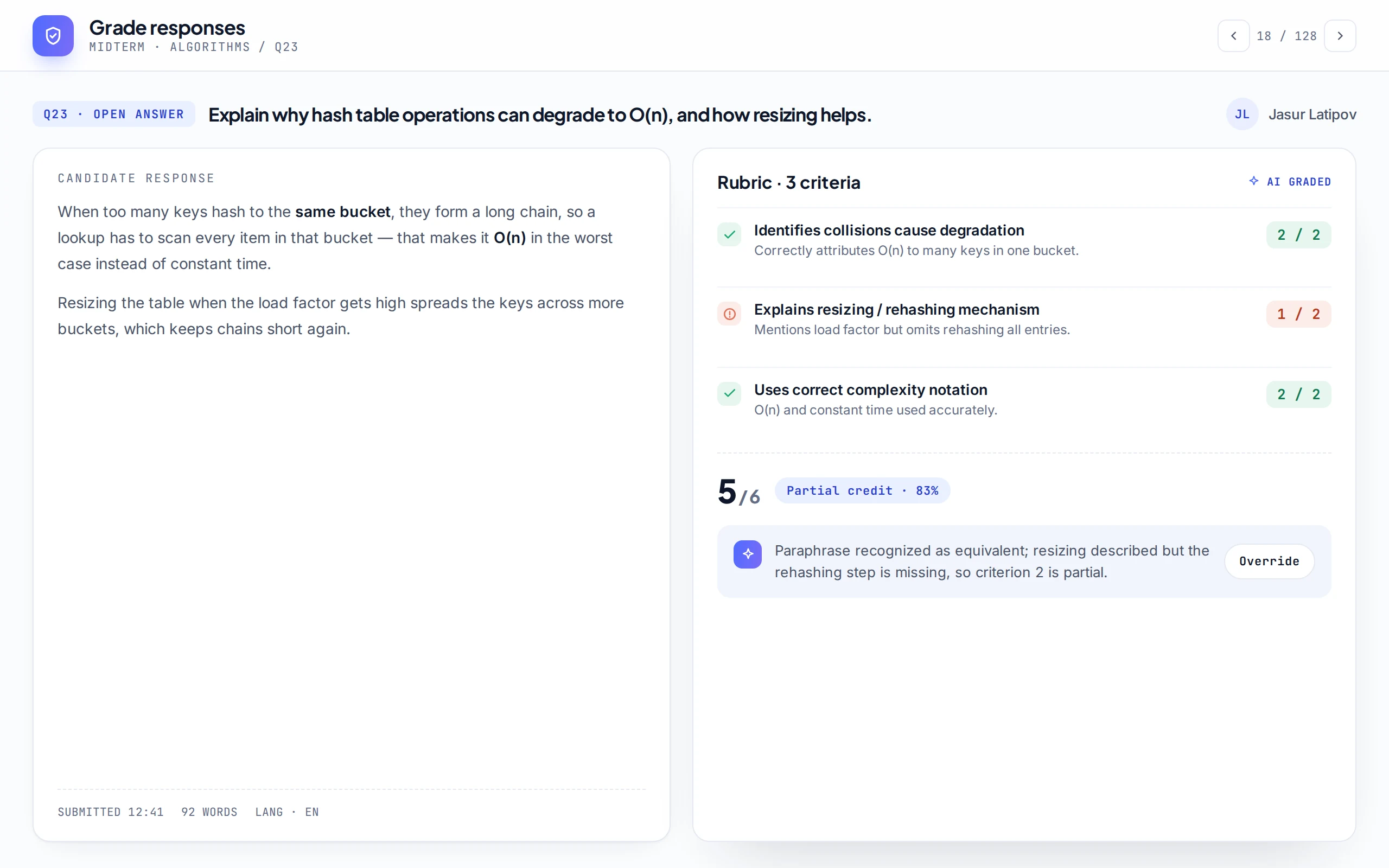
Objective questions grade instantly and AI helps with written answers. Export to Excel or PDF, issue certificates.
Features
One workspace for writing, running and grading assessments, shared by your whole team.
Upload a PDF or notes and get a draft test with answers and explanations, ready to review and edit.
Tab switches, focus loss and paste attempts are recorded with timestamps. You choose how strict to be.
Instant scores for objective questions, AI-assisted grading for written ones, with you making the final call.
Organise candidates by class, cohort or department.
Reuse questions across tests, tagged by subject and topic.
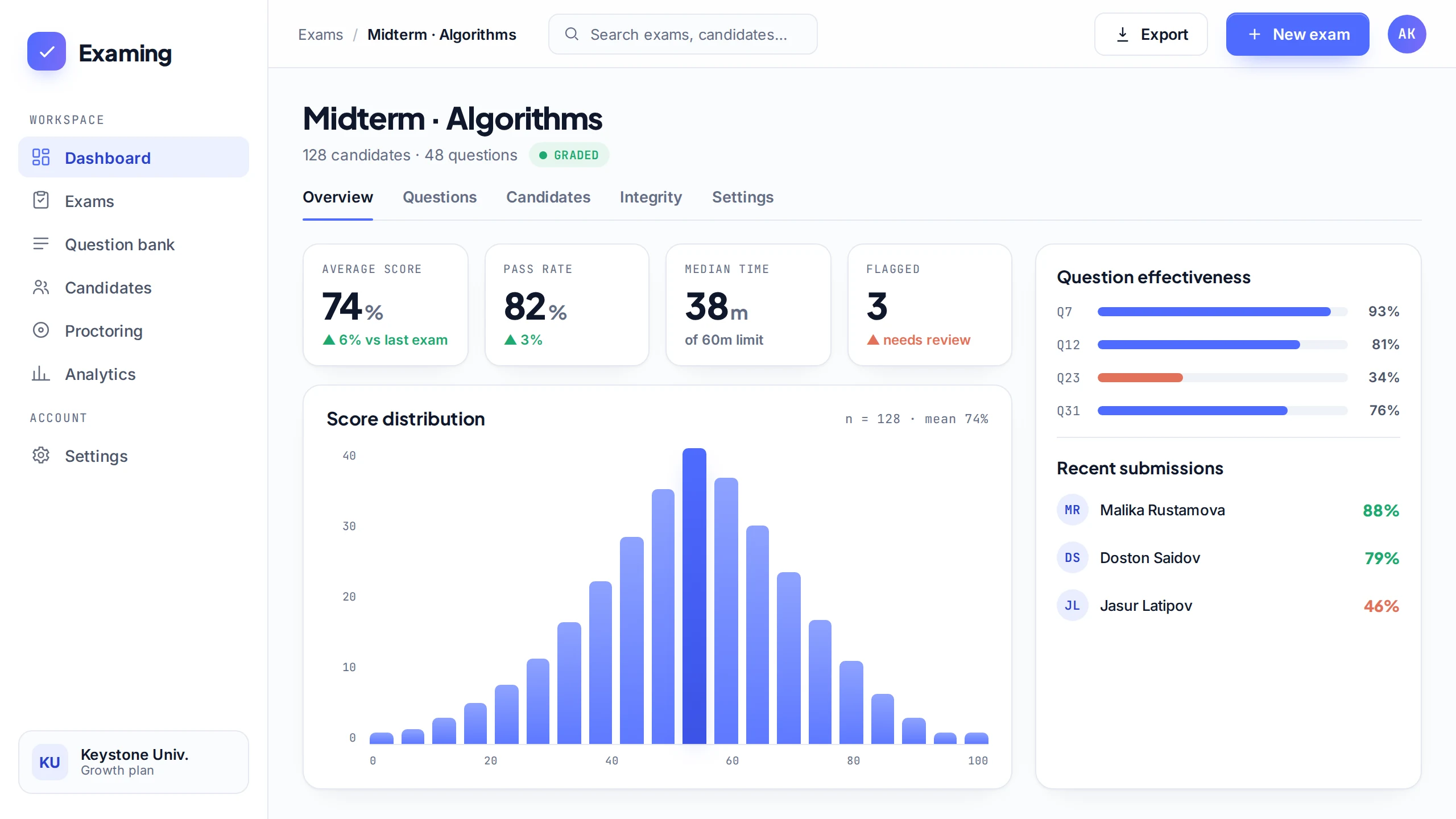
Score distribution, question effectiveness, pass rates.
Admins, authors and proctors each see what they need.
PDF certificates, Excel and PDF result exports.
Formula editor, and an interface in English, Russian and Uzbek.
Who it's for
Quizzes, midterms and entrance tests for whole classes, with the grading done for you.
Placement tests and progress checks for every cohort, with results you can show to clients.
Pre-employment screening and compliance checks, proctored and timed, from any laptop.
FAQ
No. Candidates open a link or enter a code in any modern browser on a laptop or phone.
No. Examing records browser events such as tab switches, focus loss and paste attempts, so candidates are never filmed.
Yes. Create a free workspace, build a test and run it with your own group before you choose a plan.
Plans are billed per organisation and paid by card (Visa or Mastercard) from the billing page in the app.
No. Each organisation's tests, candidates and results are isolated and visible only to its own members.
Set up a workspace in a couple of minutes. Your first test can go out today.